Seven customers closed, first three go live Monday — on a finished Service View, a new scheduling engine, a rebuilt floor plan editor and Settings, modular onboarding, configurable events, faster reservations, a rebuilt notifications bell, per-venue branding & studios, Sadie as a paid add-on, and Reserve with Google in production
7 closed · 3 live Monday
Service View, finished
One place to run the schedule
Floor plan editor, rebuilt
Reserve with Google, in production
Configurable events
Settings, rebuilt
Faster, safer reservations
Notifications, rebuilt
The branding studios
Sadie, now a paid add-on
Hassan
June 19 → July 4 · First Venues Go Live Monday
Seven closed, first three live Monday
7
Customers Closed
3
Go Live Monday
145
Pull Requests Merged
39
Live-DB Test Journeys
233 commits · 57 tickets · 14 days
The path to live · first venues go live Monday
1OnboardingAccount, floor plan & services set up
→
2TrainingStaff walked through live service
→
3Live3 venues · this Monday
The first venues
Smokies BBQWindsor, ON
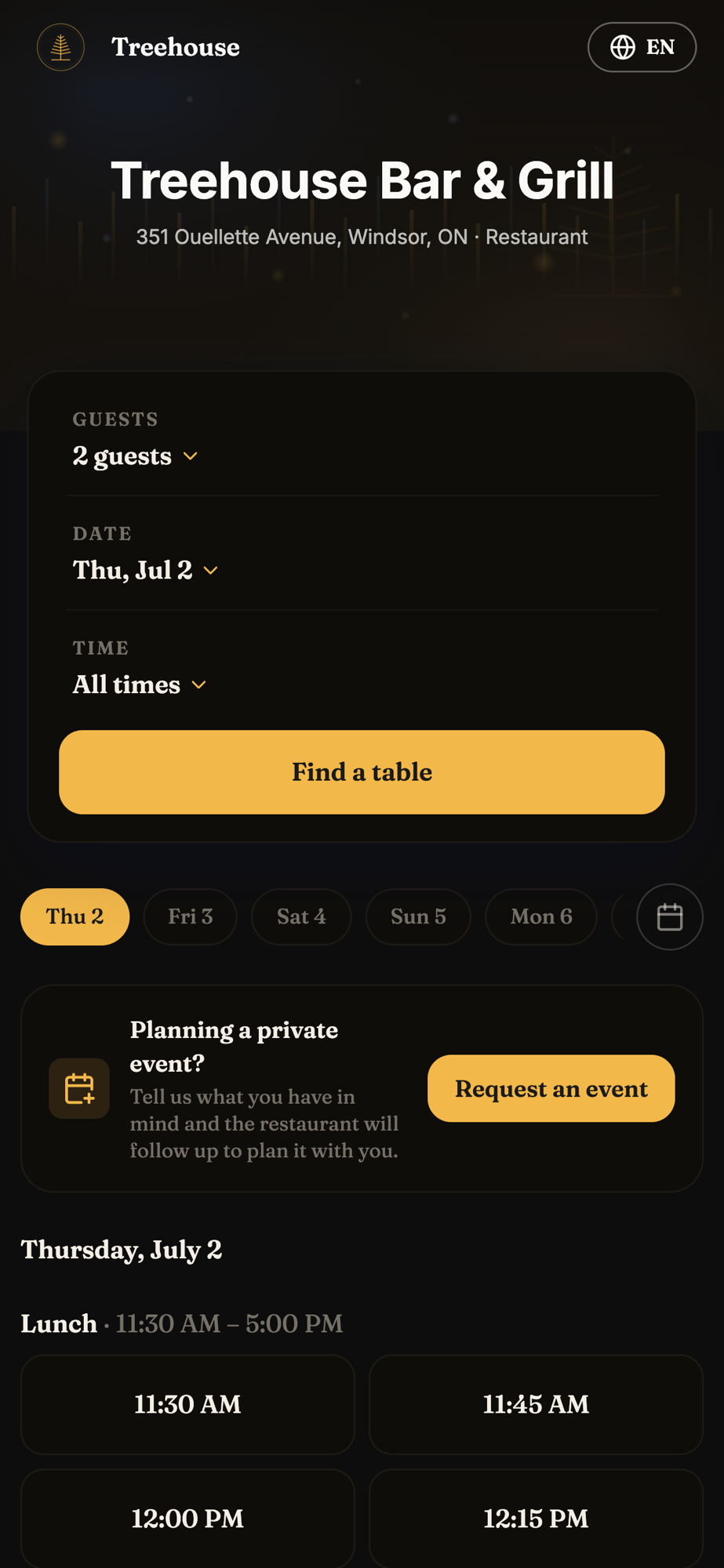
Treehouse Bar & GrillWindsor, ON
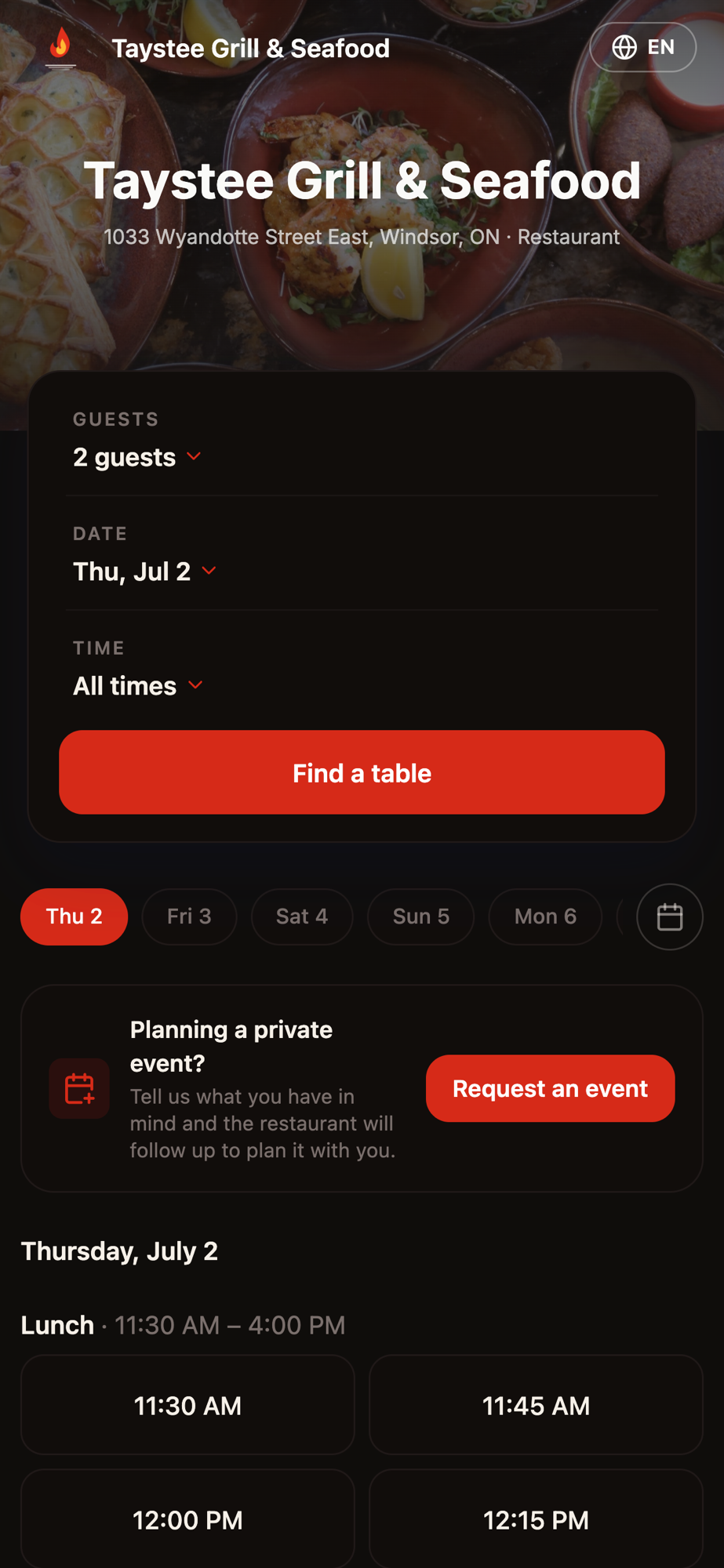
Taystee Grill & SeafoodWindsor, ON
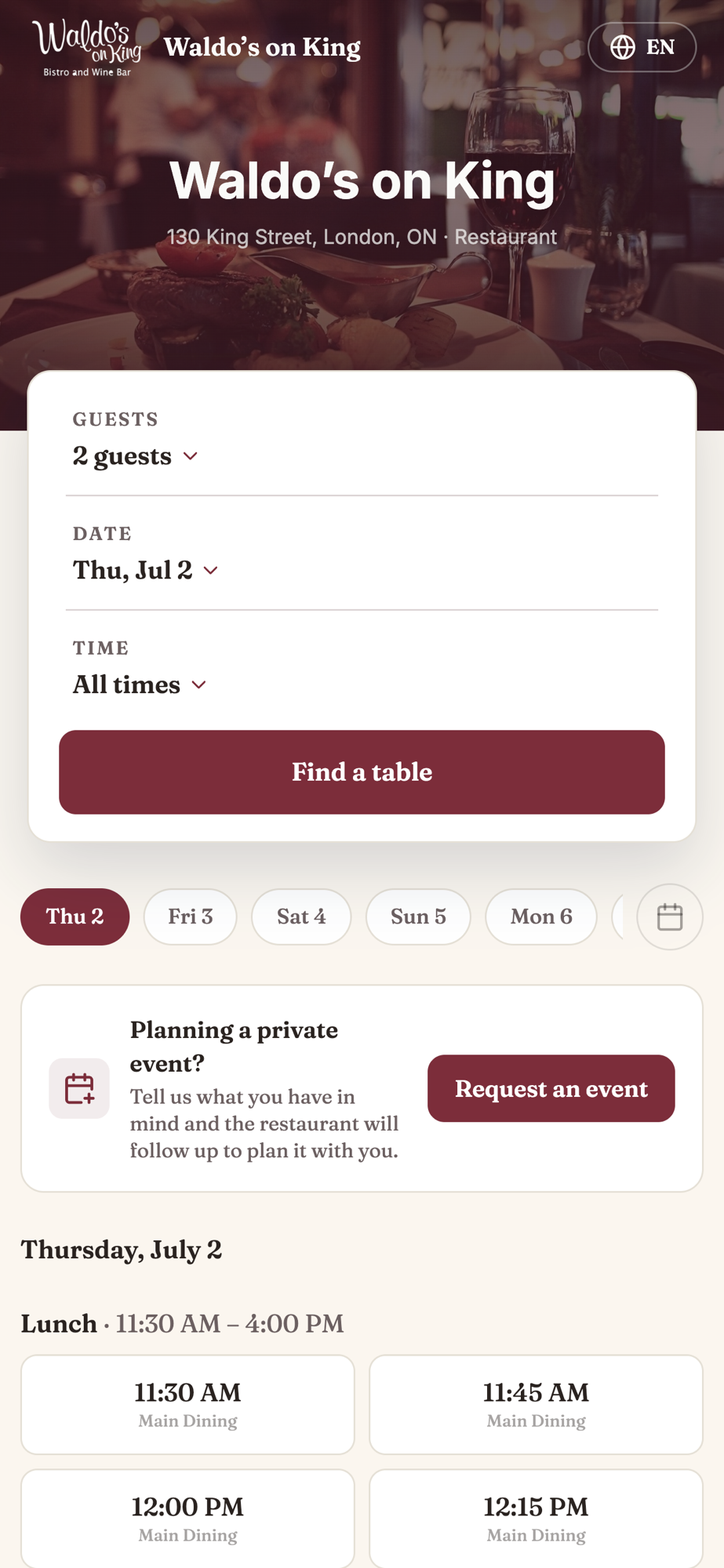
Waldo’s on KingLondon, ON
+ 3 more closed · in the pipeline
Hassan
Covers · Live Operations
Service View, finished
The last piece of the live floor — waitlist, walk-ins, the door list, and no-shows, all beside the floor plan
service — waitlist
Waitlist — record video/sv-waitlist.mp4
Waitlist
Guests scan a QR to join and get a text when ready — tap the floor to seat, full lifecycle on the rail.
service — walk-in
Walk-in — record video/sv-walkin.mp4
Walk-ins
Tap any empty table and a compact panel seats the party in seconds — no full form.
service — door list
Door list — record video/sv-door-list.mp4
Door / guest list
A fast tick sheet for running the door — who's expected, who's inside, one tap to check in.
service — no-show list
No-show list — record video/sv-no-show.mp4
No-shows
See no-shows, free the table, and get alerted the moment a seat opens for the next party.
Ali
Covers · Events
Events, on your terms
Choose which areas take events, how much table control the guest gets — and a confirmed event lands right in your availability
book.usecovers.com — event request
Guest books an event — video/events-widget.mp4
The guest books an event
They pick from the areas you’ve opened for events — and choose specific tables, if you let them.
events — setup & requests
Setup & requests — video/events-dashboard.mp4
You set the rules
Enable or disable event-bookable areas, decide whether tables show and can be selected, and handle requests as they land.
In availability
A confirmed event drops into your availability like any other booking — so the space is blocked and can never be double-booked.
Hassan
Covers · Availability & Scheduling
One place to run the schedule
A full-page service editor and a calendar that the whole booking engine obeys
availability — service editor
Service editor — record video/availability-editor.mp4
Set up a service, all in one page
Hours, color, a hard cover cap, and pacing per slot — plus pause without deleting, and overnight or different-per-day hours.
availability — calendar & closures
Calendar — record video/availability-calendar.mp4
Close a day, a week, or a range
Block a holiday, a private event, or a renovation in a couple of clicks — bookings and Google both stop taking those times.
Set it once, and the booking widget, the phone AI, and Reserve with Google all follow the same schedule automatically.
Ali
Covers · Settings Redesign
Every settings page, one design
The whole Settings tree rebuilt onto one consistent layout — plus super-admin control over what each customer sees
settings — communication
Communication — video/settings-communication.mp4
Communication
Messaging, notifications and guest-message settings, together in one place.
settings — venue settings
Venue Settings — video/settings-venue.mp4
Venue Settings
General, branding and policies — the core venue configuration.
settings — booking
Booking — video/settings-booking.mp4
Booking
Availability, seating and the rules behind every booking.
Super-admin: show or hide any page or section, per customer — no code change.
Hassan
Covers · Venue Setup
Design your room, exactly
A rebuilt floor plan editor — draw tables, zones, and walls, and arrange the room to match the real space
floor plan — editor
Floor plan editor — record video/floorplan-editor.mp4
Draw the room directly
Draw and shape tables, chairs, zones, walls, and objects — a real drawing tool, not a rigid grid.
Copy, paste, and snap
Duplicate a table or a whole section and snap it into place — a full layout in minutes.
Powers the live floor
Whatever you build here drives the Service View floor and the seating suggestions during service.
This is the tool our onboarding team uses to stand up every new venue’s room — and the same layout then powers the live floor and seating during service.
Ali
Covers · Reservations
Faster, safer reservations
A cluster of upgrades to the screen the front desk lives in — clearer at a glance, and it can’t overbook
reservations — list
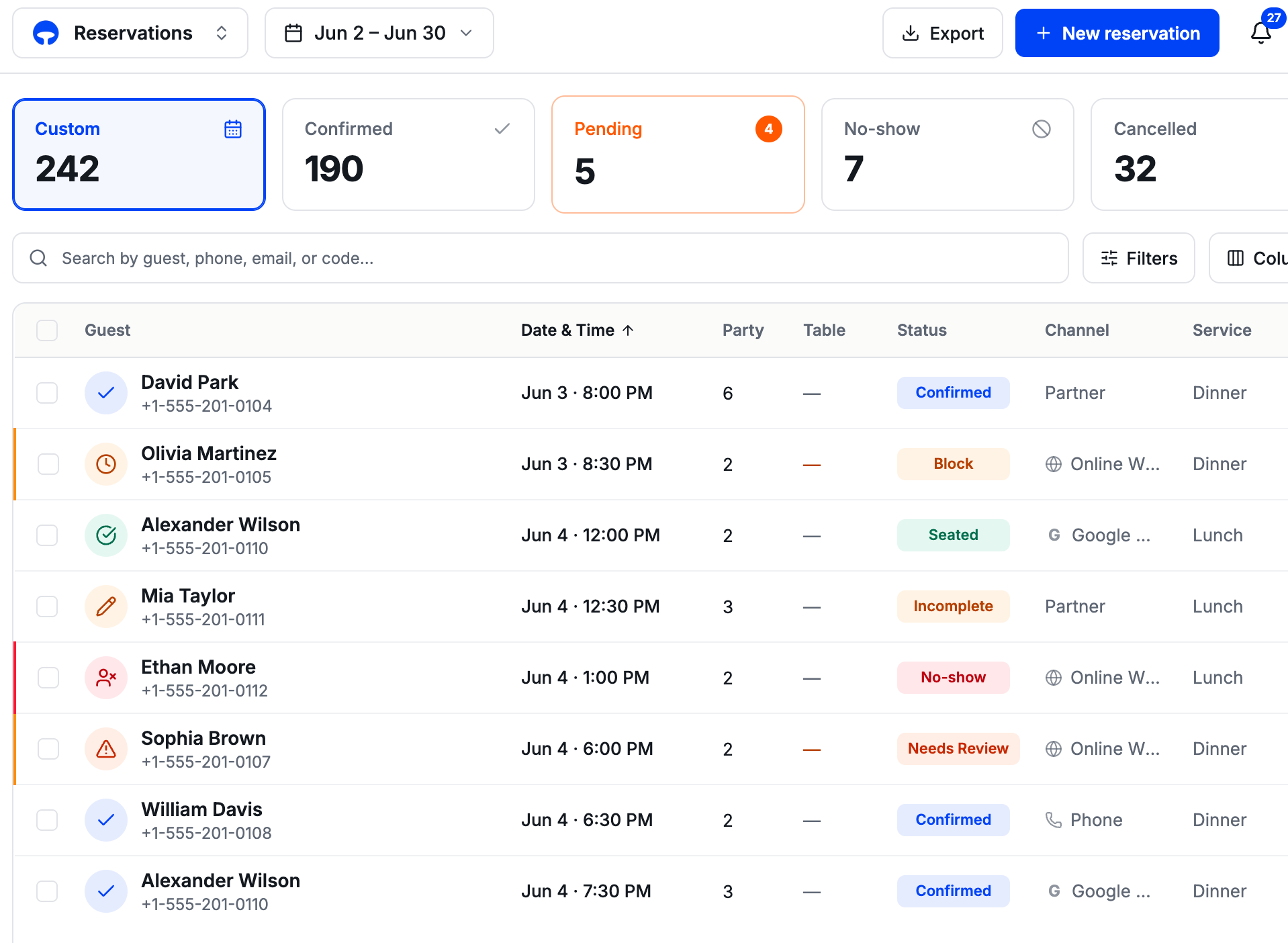
Status disc + New badge drop img/res-status.png
Read status at a glance
A colored status disc and a “New” badge lead each row — not low-signal initials.
reservations — seating strategy
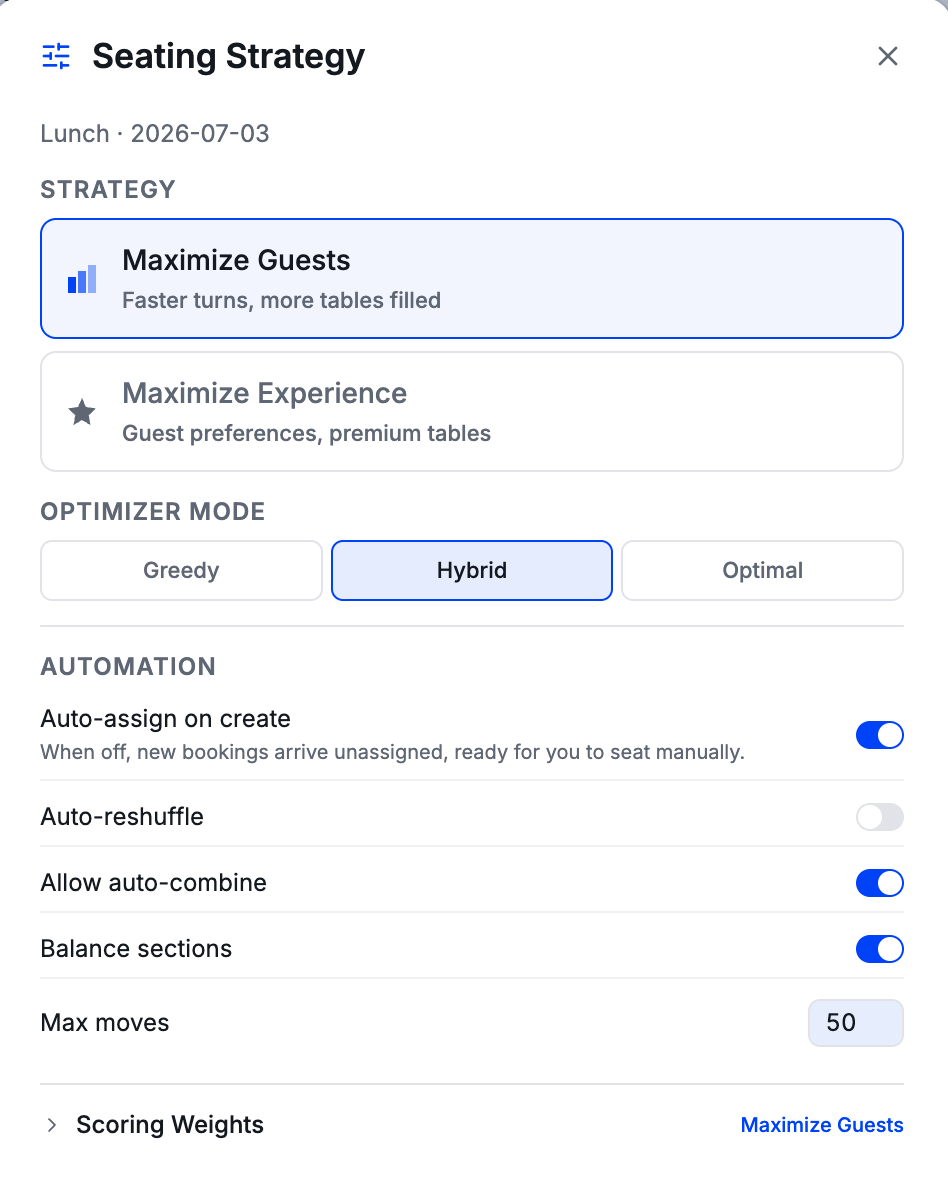
Auto-assign / seating strategy drop img/res-auto-assign.png
Auto-assign & seating strategy
Pick a seating strategy and auto-assign on create — so online calls seat like phone calls.
optimizer — before / after
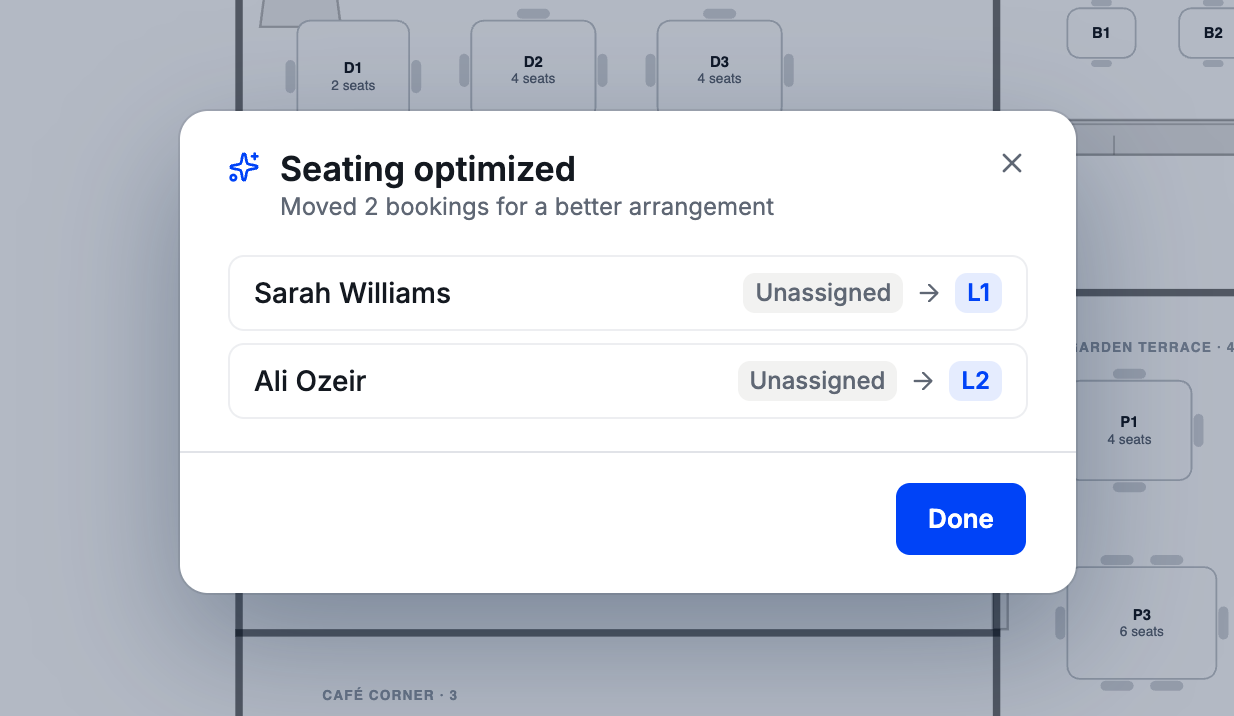
Optimizer before/after drop img/res-optimizer.png
The optimizer explains itself
A real before/after — “Guest · Table 3 → Table 5” — so staff trust the reshuffle.
Safety
No more overbooking — not-yet-seated bookings now count against capacity, and venues can lock the engine to only approved table combinations.
Hassan
Covers · Onboarding
Set up in minutes, only what you need
Redesigned first-run — switch on the modules you use, and a Go Live checklist walks you to launch
onboarding — set up your venue
Onboarding — record video/onboarding.mp4
Minutes, not an afternoon
A cleaner, faster first-run flow — from sign-up to taking real bookings.
Switch on what you need
Turn modules on à la carte — no small venue forced through features it will never use.
A Go Live checklist
Walks each venue through the must-haves before opening — nobody launches half-configured.
This is the exact flow our first four customers went live through — and every rough edge they hit feeds straight back into it.
Ali
Covers · Notifications
A notification bell that keeps up
Rebuilt on the new design — grouped, tabbed, per-venue, and it finally surfaces the things that need a human
header — notifications bell
Notifications bell — video/notifications.mp4
The urgent floats up
Grouped into “Needs attention” and “Today”, with tabs and a one-tap clear-all.
Read state per venue
Clearing notifications at one venue no longer wipes them at another.
Everything reaches it now
Replies that need a human, new reservations, and event requests — missed entirely before — plus a polished empty state.
Hassan
Covers · Per-Venue Branding
The first venues — each its own brand
Branded and ready for Monday — same product underneath, four different front doors, each carrying its own colors, logo, and cover
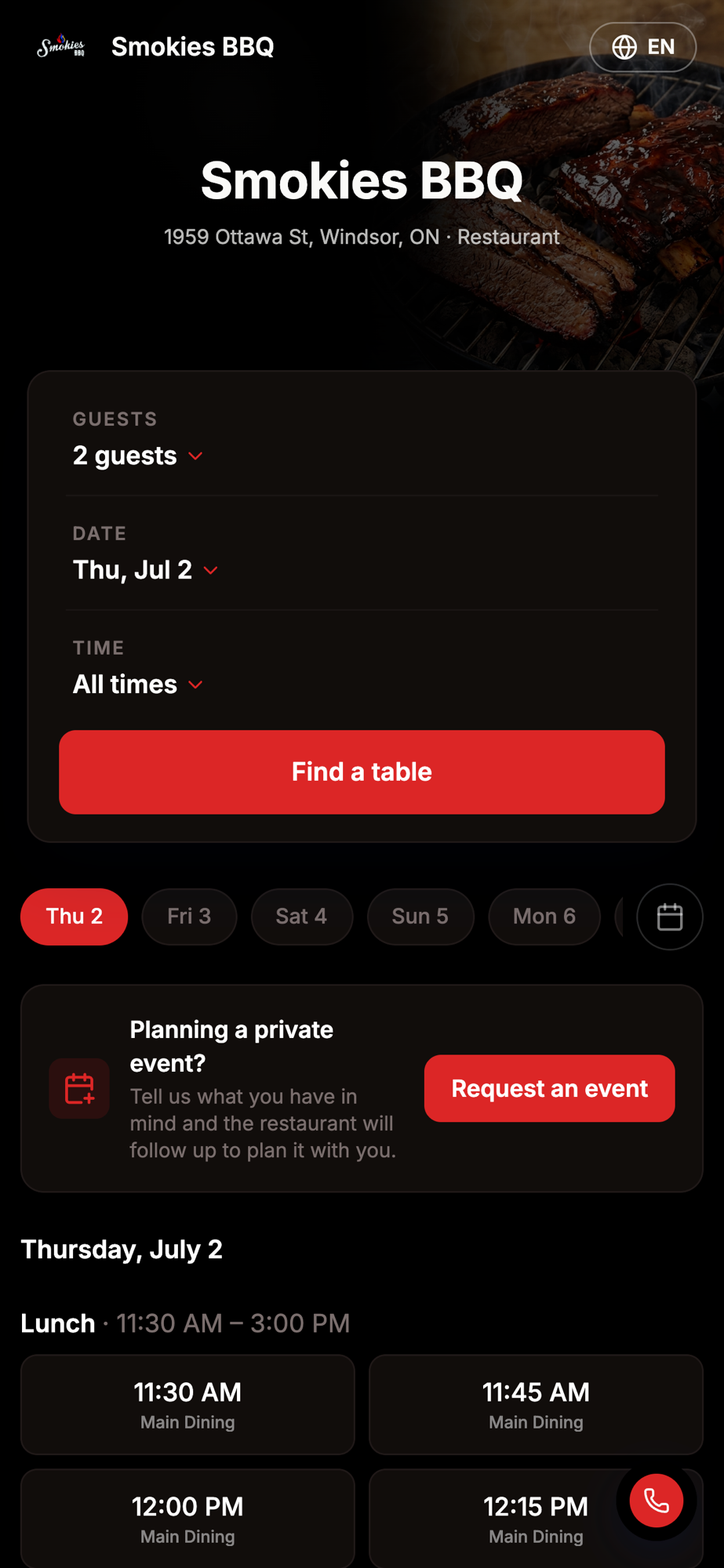
Smokies BBQ widget
Smokies BBQSmoky red · flame mark
Treehouse widget
Treehouse Bar & GrillGilded gold on dark
Taystee widget
Taystee Grill & SeafoodWarm red · food-forward cover
Waldo’s widget
Waldo’s on KingCream light theme
S
Smokies BBQ · Book a tablebook.usecovers.com
T
Taystee Grill & Seafood · Bookbook.usecovers.com
W
Waldo’s on King · Book a tablebook.usecovers.com
Shared links look like the venue, not like Covers
Post or text a booking link and the preview now unfurls with the venue's own cover, name, and favicon — not a generic grey box — so it looks trustworthy the moment it lands in a guest's messages or feed.
Ali
Covers · Branding Studios
The branding studios
Where a venue makes Covers look like itself — the Widget, Email & Wallet studios, all with a live preview
settings — studios (widget · email · wallet)
Branding studios — video/branding-studios.mp4
Widget Studio
Design the booking page — a sticky live preview, a high-res QR download, and a show-organization-name toggle.
Email Studio
Guest emails — multiple templates, a header cover image + branded footer, a removable logo, a sticky auto-sizing preview.
Wallet Passes
Apple & Google wallet passes — colors, fields and barcode, all previewed live.
Self-serve branding — every venue gets its own look without us hand-building each one.
Hassan
Covers · Built With Our Customers
We listen, then ship — fast
Real feedback from the first venues, turned around inside the same two weeks
Heard
“Seating a walk-in mid-rush is too slow”
Shipped: tap the empty table on the floor and the party is seated in one move — no full form.
Heard
“We run past midnight, different hours by day”
Shipped: services that cross midnight and per-day hours, so late-night and split schedules just work.
Heard
“Setup has too much we don’t need”
Shipped: modular onboarding with a Go Live checklist — switch on only the features that venue uses.
Heard
Dozens of small asks from the floor
Shipped: faster party-size entry, phone numbers defaulting to the venue’s country, clearer confirmations, floor details back on the live view.
Every customer makes the product better for the next one — the difference between software you sell once and a product that compounds.
Ali
Covers · Sadie AI
Sadie — fixes & a paid add-on
Sadie is now a per-location add-on with a locked upsell for venues that don’t have it — plus a batch of reliability fixes
sadie — not enabled
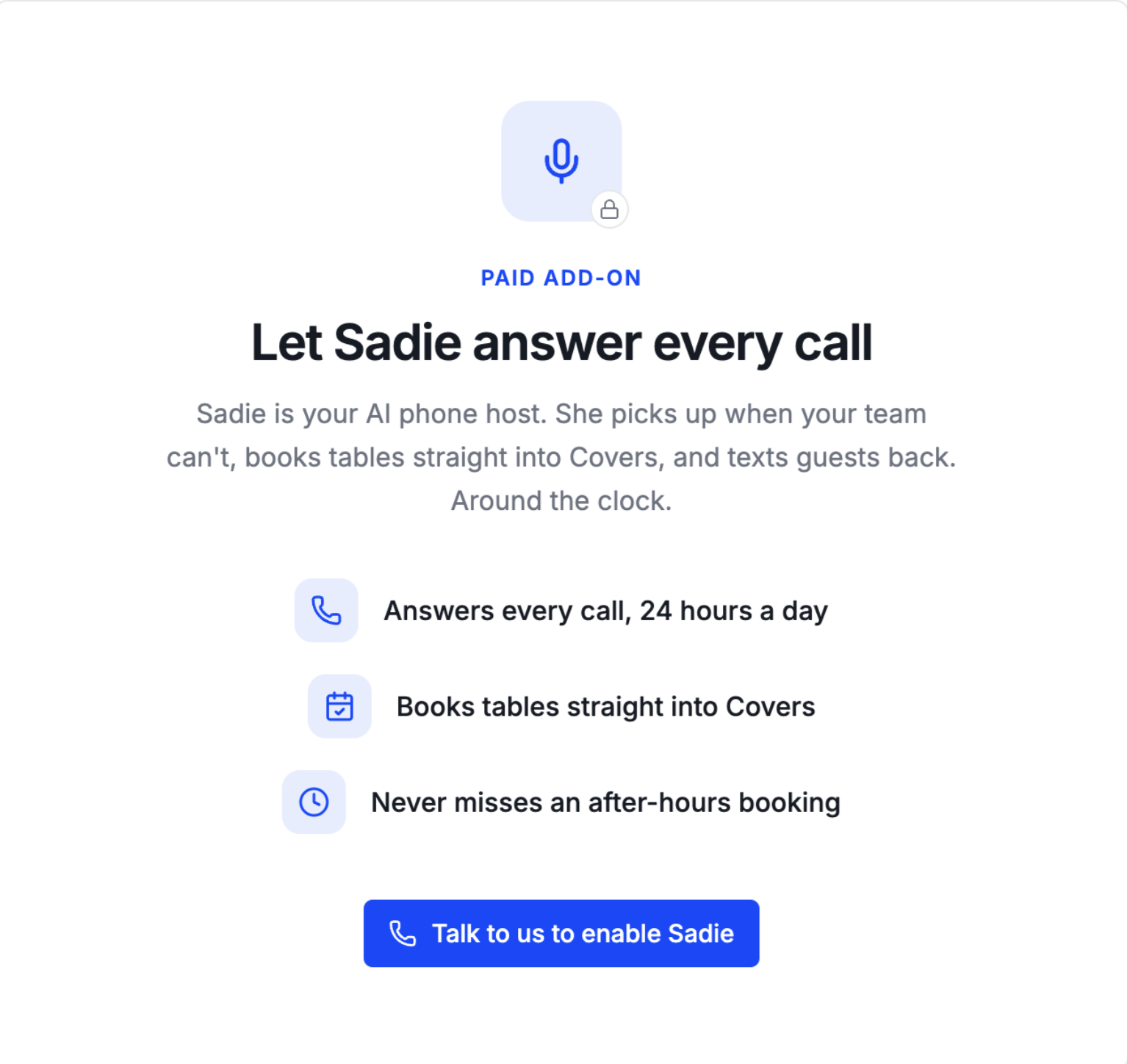
Locked upsell (no Sadie) drop img/sadie-locked.png
A paid add-on
Venues without Sadie see a locked upsell screen — enabling it unlocks the full Sadie config.
Self-healed setup
A shared-config change was silently breaking “Set up Sadie” for some venues — Sadie now re-checks against the live catalog.
Smarter, safer config
Days-off + a 12-hour schedule picker, a venue-name greeting, and texting locked off until a venue’s messaging is wired.
Hassan
Covers · New Booking Channel
Reserve with Google — into production
Two weeks ago the sandbox was complete. Now it runs in production, and venues enroll themselves through settings.
Live in production
Real data, real feeds
Production is wired with real venue feeds and structured addresses — the same booking flow guests will use, now on the live instance.
Venues enroll themselves
A venue turns Reserve with Google on from its channel settings — no manual back-end setup per restaurant anymore.
Only bookable times shown
Covers only advertises slots a venue can actually take, so Google never offers a time that would bounce.
Integration status — production, awaiting Google's review
Sandbox verified — feeds, booking server, and real-time updates (shown June 19)
Promoted to production — secrets wired, real venue feeds, structured addresses fixed
Self-serve enrollment — venues switch it on through the channel lifecycle
Next: Google's production review — their approval switches booking on across Search & Maps
Hassan
Covers · Quality & Platform
The safety net, and a faster web
A test harness that proves the app end to end, plus a web performance and branding pass
39
journeys that prove the app
Each runs the real app against a live database and checks the data actually landed. If one breaks, the change can’t ship.
Book, seat, cancel and no-show a reservation
Onboard a venue, then take a public widget booking
Invite staff, edit guests, connect channels
A faster web
Self-hosted fonts, per-page titles, and pre-rendered pages so venue and booking pages load noticeably faster — and the sign-in screens were rebuilt.
A pipeline that fails loud
The build and deploy pipeline was hardened so a broken change is caught and flagged, not silently slipped through to customers.
Why it matters now
With the first venues going live this week, this is how we ship every day without ever breaking a service — the foundation under all the visible work.
39 automated journeys run on every single change — a broken booking or seating flow is caught before it can ever reach a live venue.
Hassan
Covers · The Next Two Weeks
What's next
Onboard the first customers, get Google switched on, and keep widening what a venue can control
Priority
Onboard the first customers
Get them fully live and happy, and turn every rough edge straight back into the product.
Awaiting Google
Switch on the Google channel
Push Reserve with Google through Google's production review so booking goes live on Search & Maps.
Product
Per-night layouts & staff roles
Lay the room out differently per night, and give owners control over who on the team can do what.
Foundation
Keep the harness green
Grow the automated test coverage so we keep shipping daily to live customers without breaking service.
Two weeks ago the question was whether real restaurants could run on this. This Monday the first three go live — and the rest of the seven are right behind.
Presenter Notes
←→ navigate · N notes · G grid · F fullscreen · All decks